

Get PocketClients in 60 Seconds.
Download the app, add your first client, and send your first automated reminder — all before your next coffee break.
No credit card. No setup fee. Free forever.

What Happens After You Install
From download to running your first job — here's exactly what you'll see.
Install & Sign In
Download the app and sign in with your phone number. No password to remember — you're in within seconds.
Add Your First Client
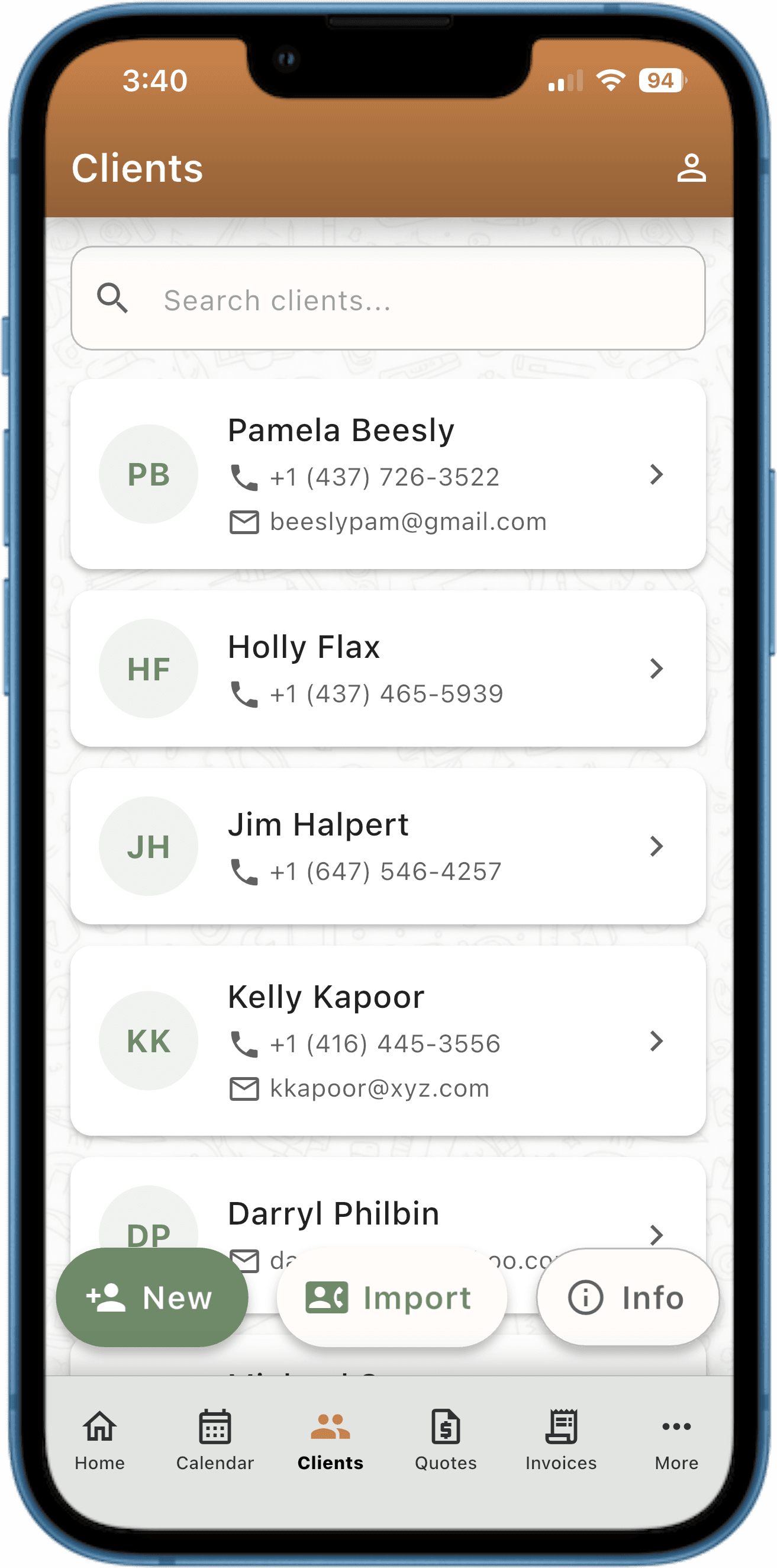
Import from your phone contacts or type in a name and number. Your full client history starts here.
Book an Appointment
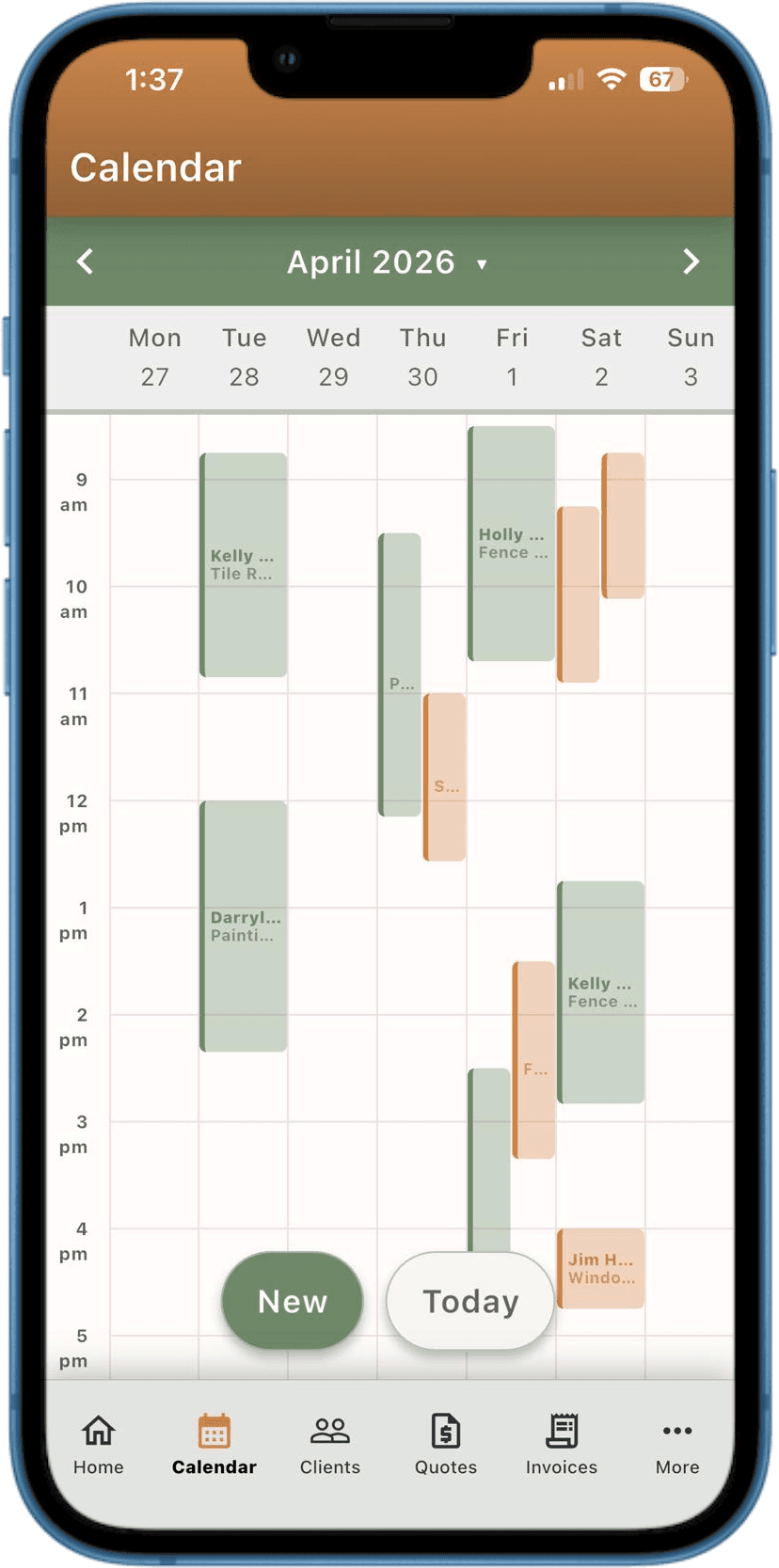
Tap New on the Calendar, pick the client, set a time. Reminders are scheduled automatically — 2 days before, 1 day before, day-of.
Complete the Job & Invoice
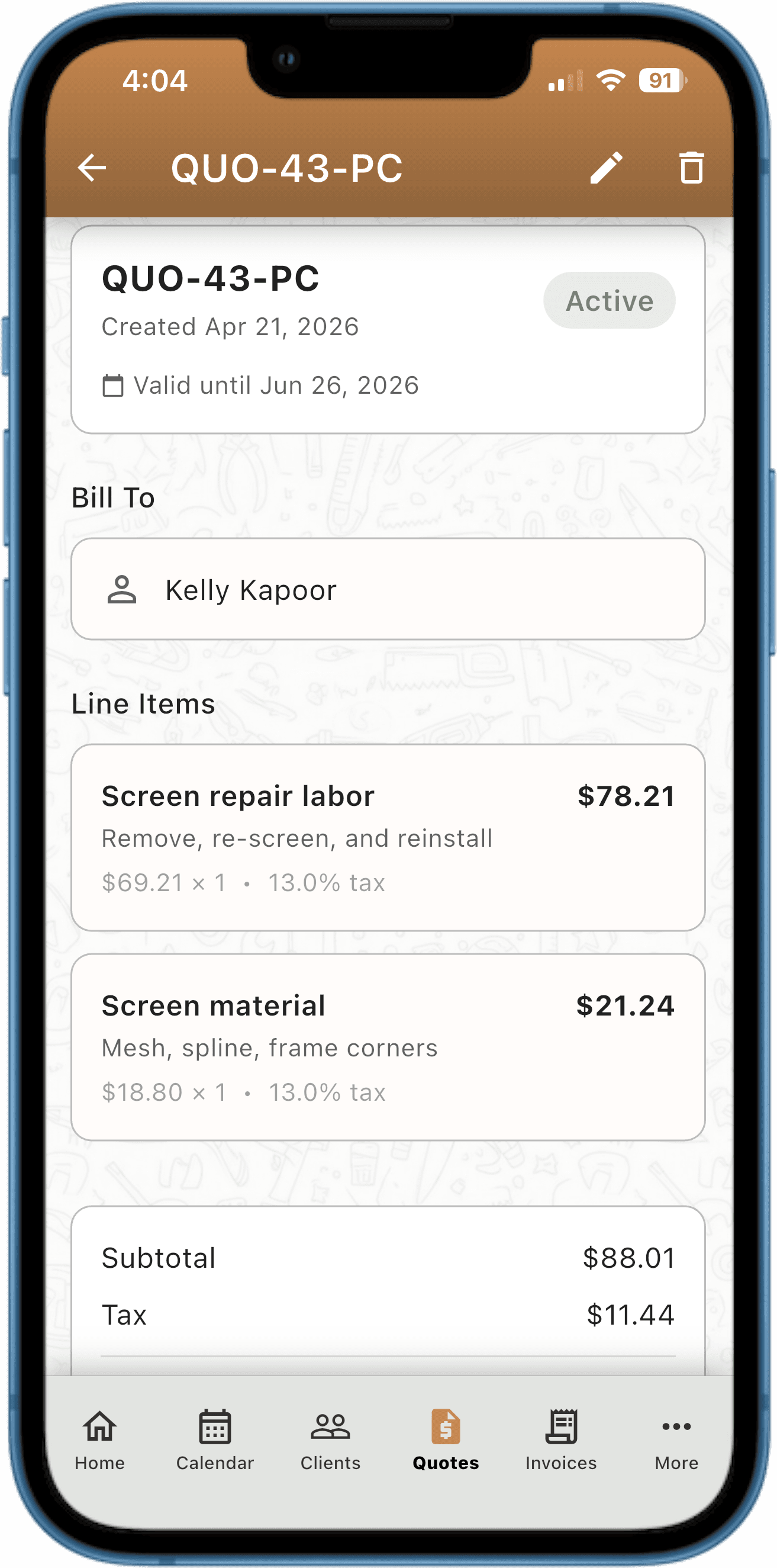
Mark the job done. Your quote converts to an invoice in one tap. The app sends a thank-you and review request automatically.
Free Forever. No Credit Card.
No trial clock, no card on file. Start running your business today, and stay on the free plan for as long as you want.
- Unlimited clients, appointments & recurring scheduling
- 10 CRA/IRS-compliant invoices, 10 quotes & 10 expense records every month
- 5 automated message credits (SMS & email) every month — free forever
- Set up your PocketPages booking page and capture 5 leads every month
- Your data stays on your phone, whether you upgrade or not
Need more room? Pro is $29.99/month, or $19.99/month billed annually.
See full pricing →
Common Questions
- Does it work offline?
- Yes. All your data lives on your phone, so the app works without an internet connection. An internet connection is only needed to send SMS and email messages.
- Can I import my existing contacts?
- Yes — one tap. Go to Clients, tap New, and choose Import from Contacts. Your existing phone contacts are pulled in instantly.
- What if I switch phones?
- Export your data as a CSV from Settings before switching. Re-import it on your new device. We're working on a full backup/restore feature — it's coming soon.
- Will my data sync across devices?
- Not yet. PocketClients stores everything on your device for speed and privacy. Cross-device sync is on the roadmap.
- Does it work on iPhone and Android?
- Yes — PocketClients is live on the App Store and Google Play, with the same feature set on both. Install it on whichever phone you carry.
- Do I get a website with PocketClients?
- Yes — every account includes PocketPages free, your professional web page built right into the app. It goes live at pages.pocketclients.com/your-name. Add your services, work photos, review links, and service area in about 5 minutes. New leads fill out your built-in consultation form and land directly in the app — no separate login, no website builder, no extra cost. Free accounts see 5 leads a month; Pro is unlimited.
- What happens if I hit the free plan's monthly limits?
- Nothing you've already created is affected — existing invoices and quotes stay fully usable, and you can still send them and get paid. You just can't create new ones past the cap until it resets on the 1st, or you upgrade to Pro for unlimited. Leads past the 5-a-month cap are still accepted and saved — their details just stay hidden until you upgrade. Your data stays on your phone either way — export everything as a CSV anytime.
Ready to Run Your Business From Your Phone?
Join owner-operators who've cut no-shows, get paid faster, and stopped drowning in admin work.
Free forever · No credit card · Upgrade anytime