

A Complete Solution from Capturing Leads, to Recurring Jobs.

No team management. No project boards. No desktop required. Just the tools a one-person business actually uses — all on your phone.

Client Management

Every client. Their full history. One tap away.

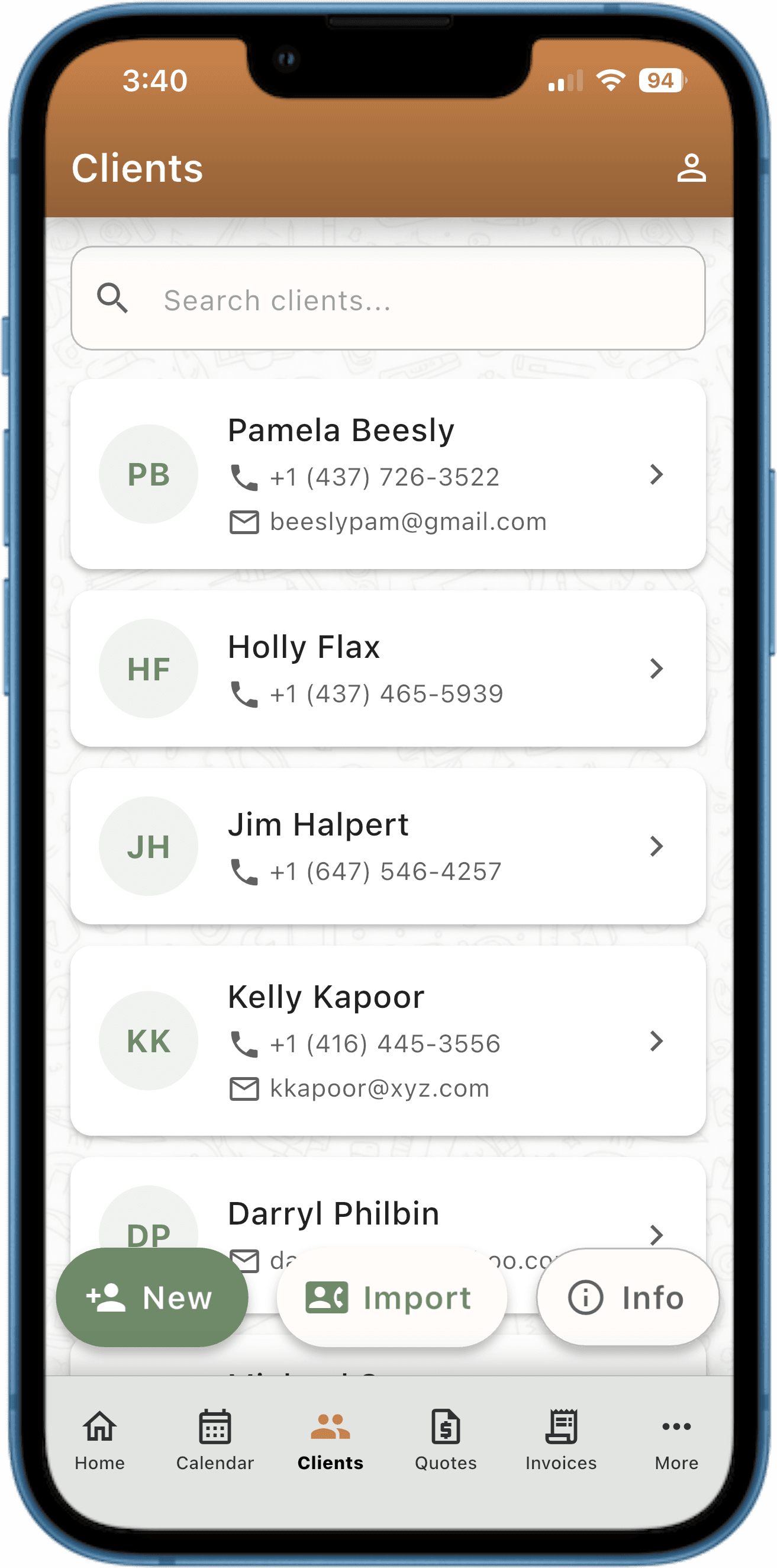
Stop scrolling through phone contacts. Every client gets a complete profile: contact info, appointment history, invoices, total revenue, and notes.

Built differently, on purpose.

Most business apps are built for companies with 10+ employees. They have route optimization, team scheduling, dispatcher dashboards, and dozens of settings you'll never touch. We took a different approach: we built only the features an owner-operator actually needs, and we made them work beautifully on your phone. No laptop required. No training needed.

Client profile screen

Client Profiles

Your complete client book — contacts, history, revenue, and notes in one profile.

  • Import directly from your phone contacts — one tap
  • See appointment history, invoices, and revenue per client
  • Add notes and preferred contact method (SMS or email)

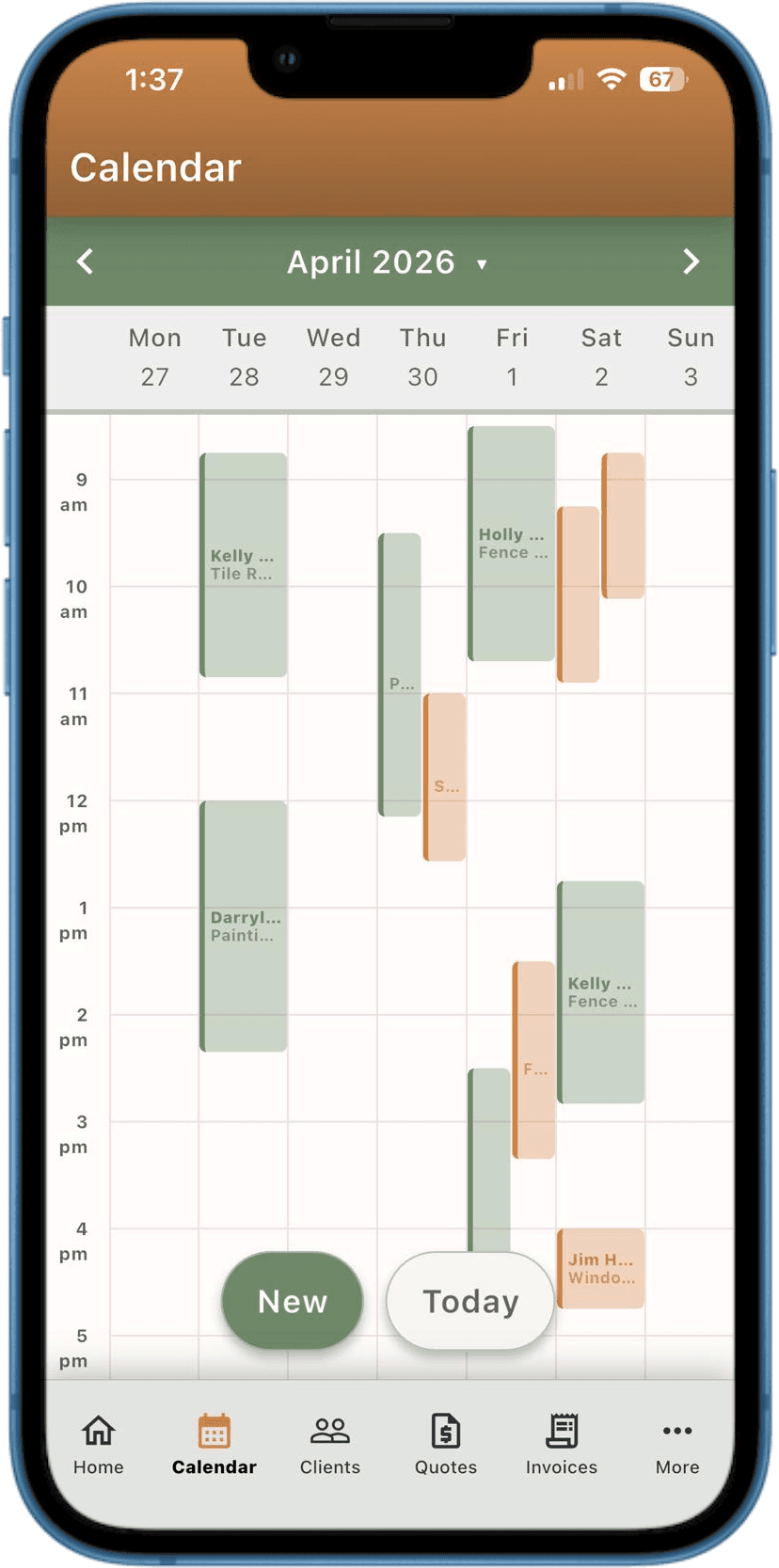
Calendar week view

Appointments & Calendar

Schedule jobs, see your week at a glance, and never drive to the wrong address.

  • Convenient Weekly Calendar — color-coded by status
  • Recurring appointments: weekly, every 2 weeks, or monthly
  • One-tap navigation to the client's address

Automated Messaging

Reminders, follow-ups, and review requests — sent automatically.

Your assistant that never forgets. The app handles reminders, thank-yous, and promotions so you can focus on the work.

📱 200 SMS/month includedNeed more? Buy 500-SMS top-up packs — they never expire.
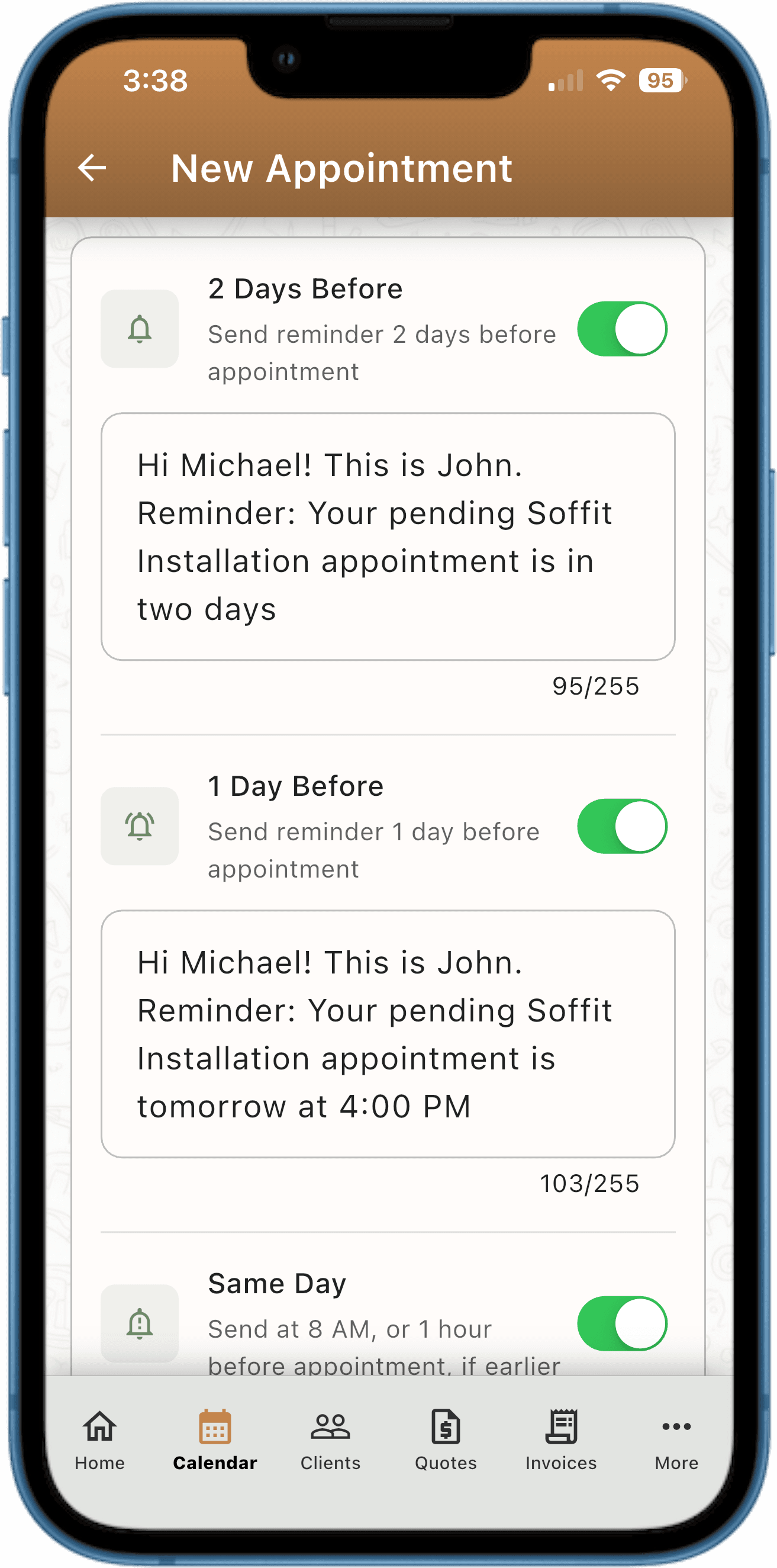
Automated messaging screen showing scheduled message toggles

Appointment Reminders

2-day, 1-day, and same-day reminders sent via SMS or email. Clients show up. You don't have to think about it.

Review Requests

Post-appointment thank-you with a direct link to leave a Google review — sent automatically when you mark the job done.

On My Way & Running Late

One tap sends a professional 'On My Way' or 'Running Late' message. No need to type anything.

Blast Messages

Send a promotion or seasonal offer to your full client list — or filter by service type, city, or last appointment date.

Cancellation Notices

Notify clients of a cancellation instantly. The message goes out in seconds so everyone's on the same page.

Follow-Up Messages

Automated follow-up after a completed job — check in, upsell a repeat visit, or ask if everything went well.

Money & Invoicing

Quote it. Do it. Invoice it. Get paid.

No more digging through email for the quote you sent three weeks ago. Quotes become invoices automatically when the job is done.

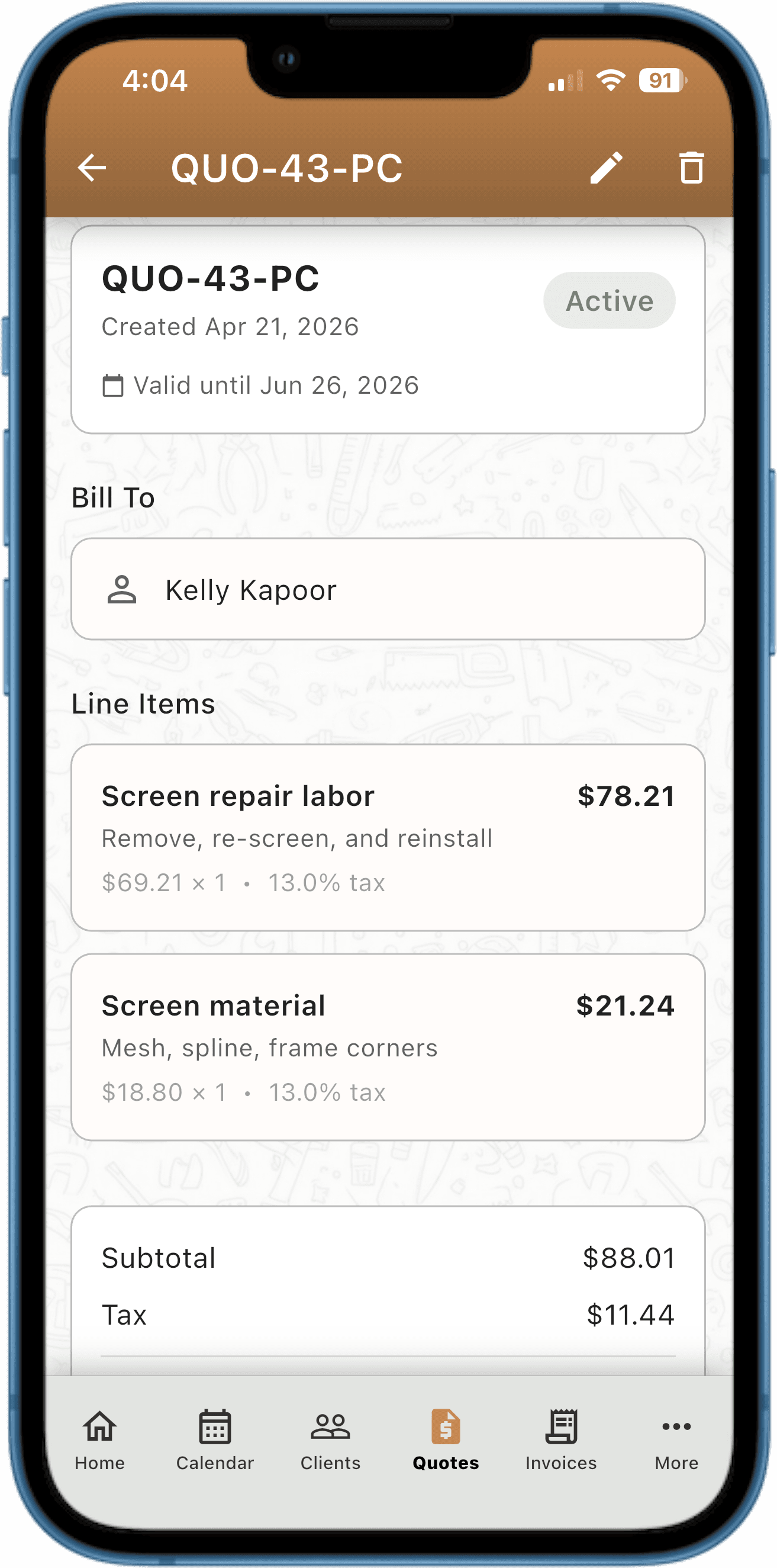
Quote and invoice detail screen

Quotes & Invoices

Line items with tax and discounts. Professional PDF export. Overdue detection built in.

  • Quotes auto-convert to invoices when you complete the job
  • PDF export — share by email, SMS, or AirDrop
  • Overdue invoices flagged automatically with payment reminders
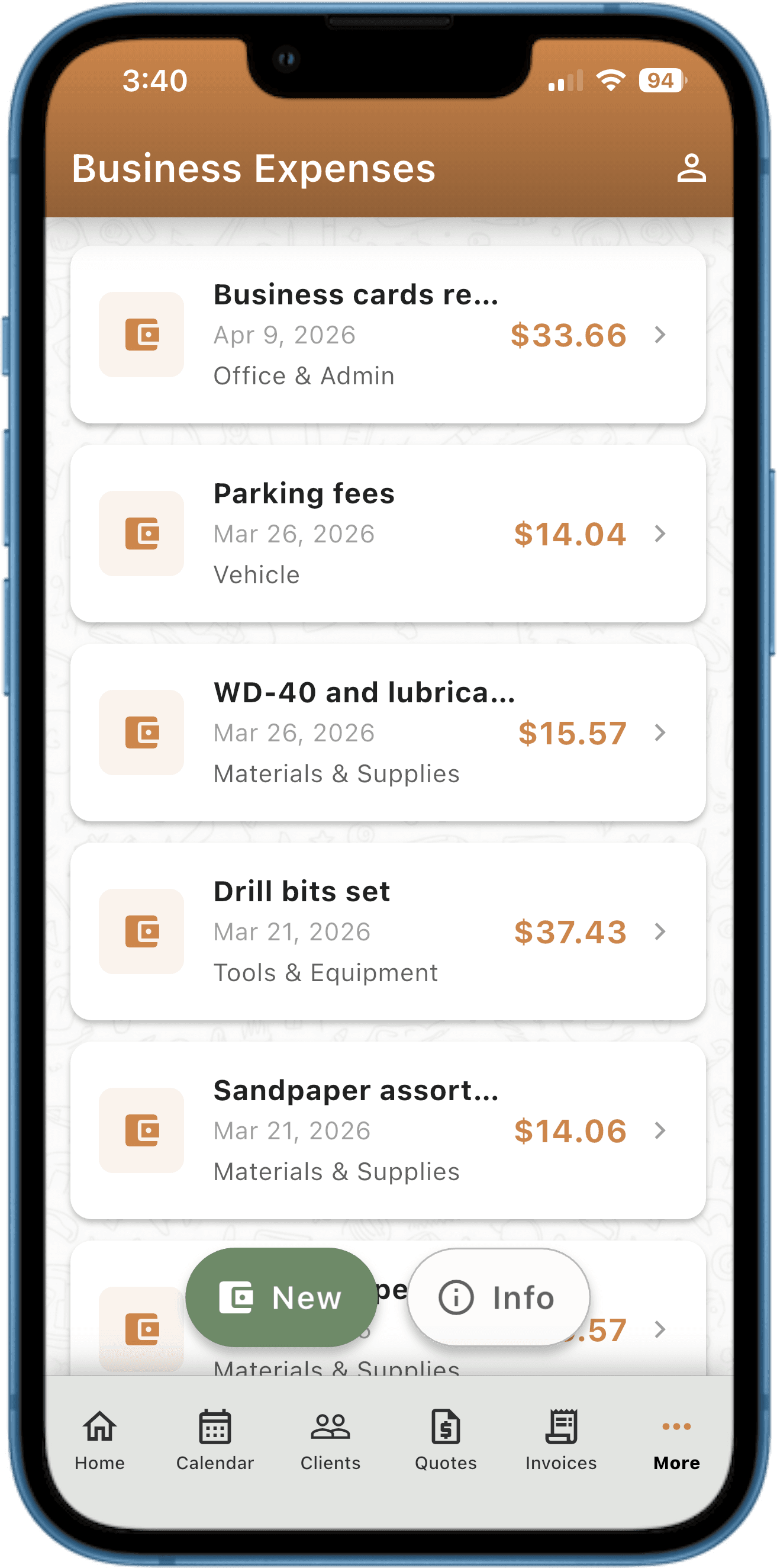
Expense tracking list screen

Expense Tracking

Track every business expense, link it to a job, and see your actual net income.

  • Categories, receipt photos, and per-job linking
  • Feeds directly into Analytics for true profit calculation
  • Revenue minus expenses = your real net income, always visible

Get Found & Capture Leads

Get found. Capture leads. Turn them into clients.

Every PocketClients subscription includes a publishable professional web page — built and published from inside the app, live at pages.pocketclients.com/your-name. A built-in lead form turns visitors into clients without leaving PocketClients. No website builder, no separate login, no extra cost.

A published Pocket Page with business name, services, and tap-to-call button

A page that gets you found

A clean, shareable profile with your business name, tagline, profile photo, services, work gallery, and review links — plus a tap-to-call button. Live at pages.pocketclients.com/your-name the moment you publish.

  • Shareable link + printable QR code for your van, card, or invoice
  • Services, work gallery, and review links in one place
  • Tap-to-call button so mobile visitors reach you in one tap
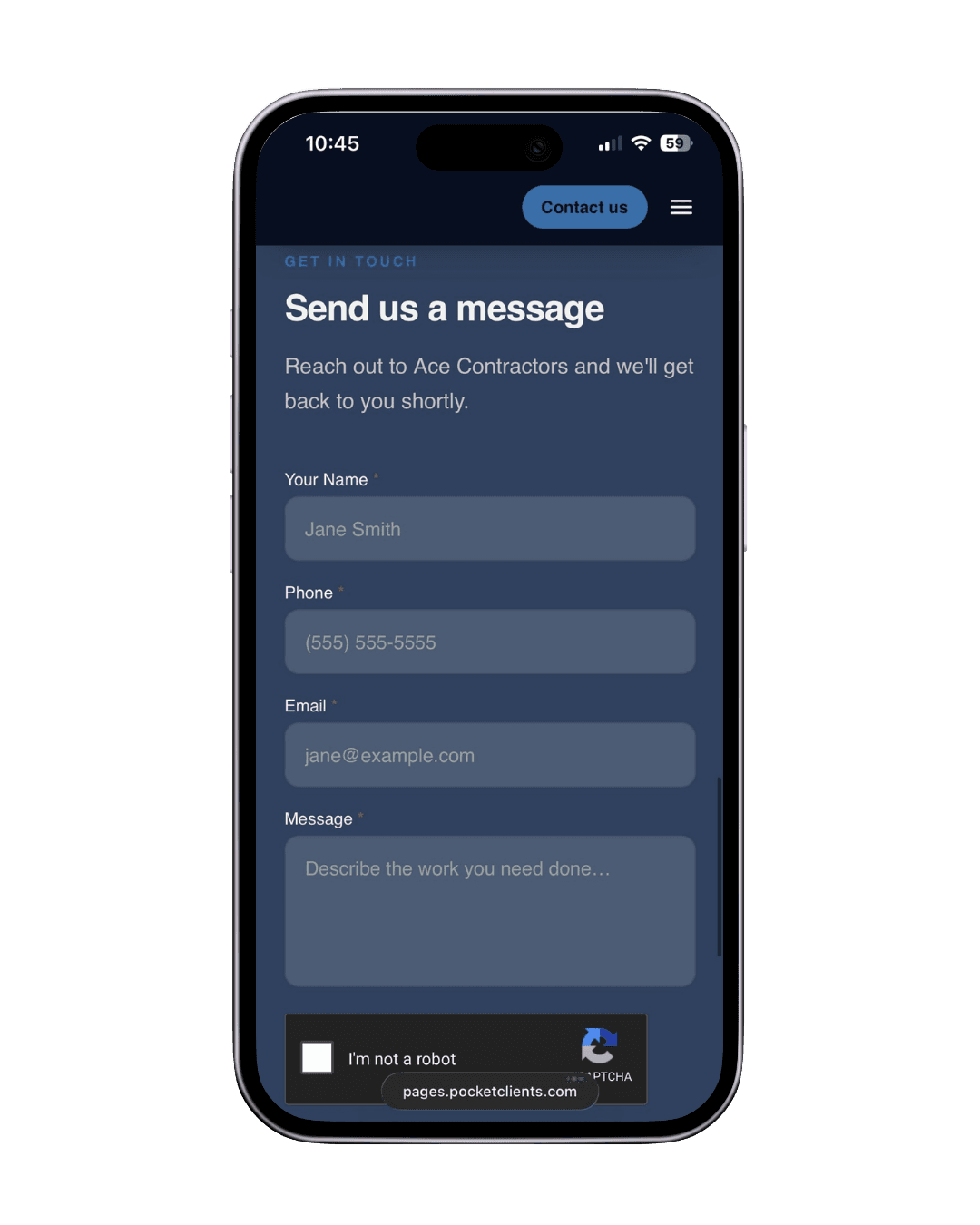
The consultation form a visitor fills in on a Pocket Page

Leads come straight to you

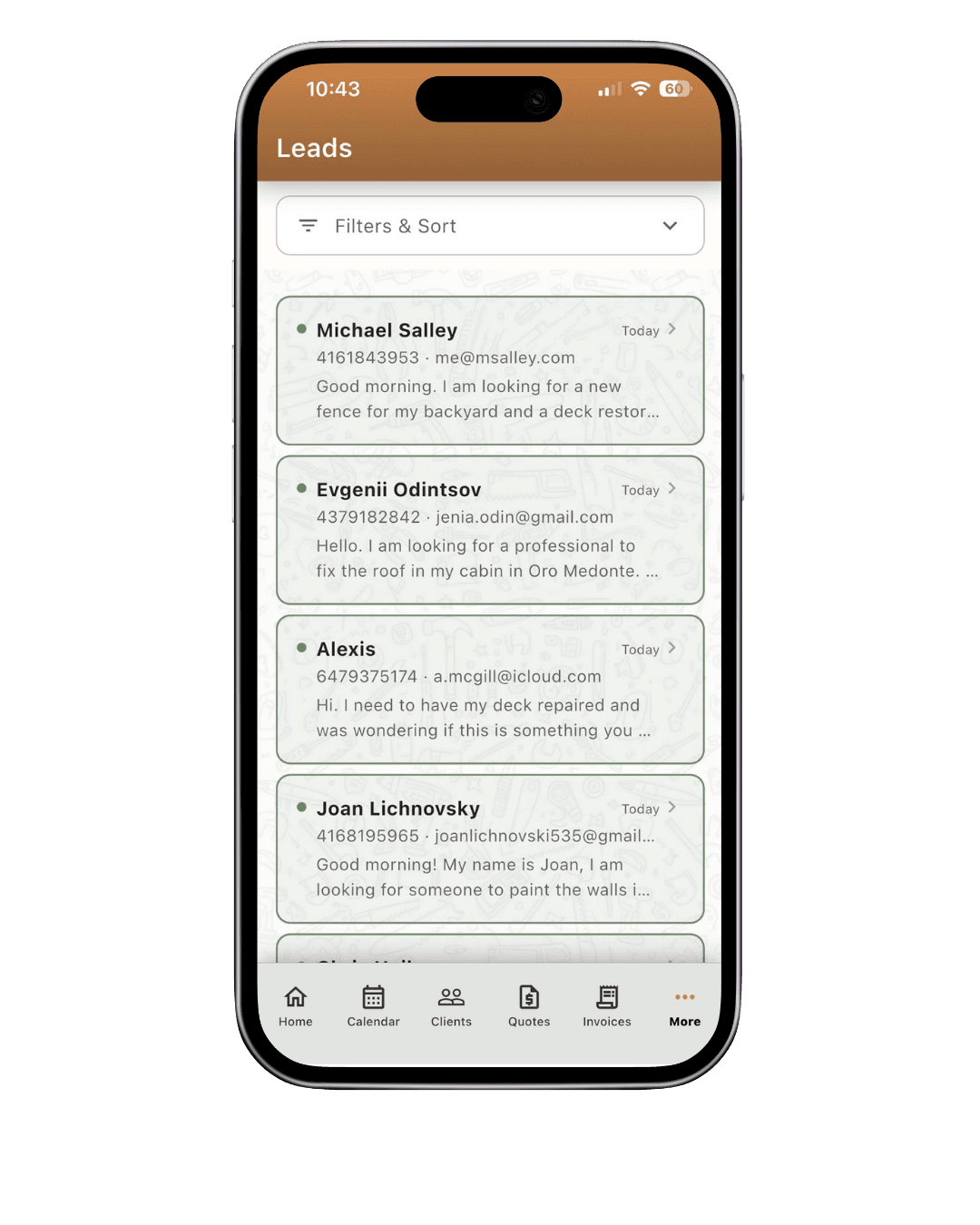
A built-in consultation form sits right on your page. Visitors describe their job and hit send — no third-party tool, no extra account. The moment they submit, you get an instant push notification inside the app.

  • Built-in contact form — no third-party form tool needed
  • Instant push notification the moment a visitor submits
  • Lead details land directly in PocketClients — nothing to copy over
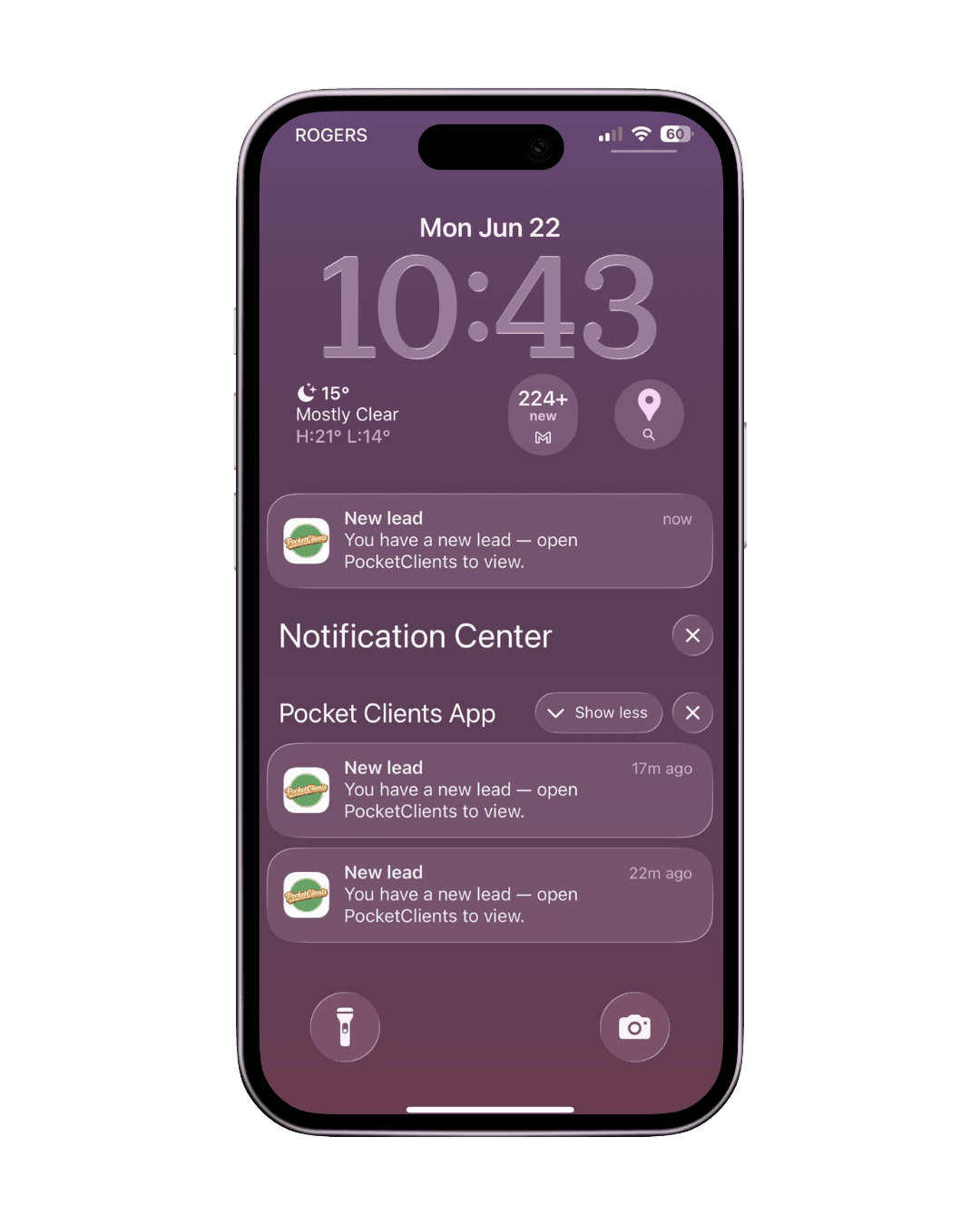
A new lead arriving as a push notification inside the PocketClients app

Turn visitors into clients

Review the lead in the app, tap once to add them as a client, and book the job — closing the loop with the rest of PocketClients: calendar, invoices, reminders, and analytics all follow automatically.

  • One tap adds the lead as a client and opens the booking screen
  • Job feeds into your calendar, invoices, and analytics from day one
  • The full PocketClients workflow starts the moment you accept the lead

Analytics

See how your business is really doing.

Real numbers at a glance — revenue, expenses, net income, and appointment trends broken down by week, month, and year.

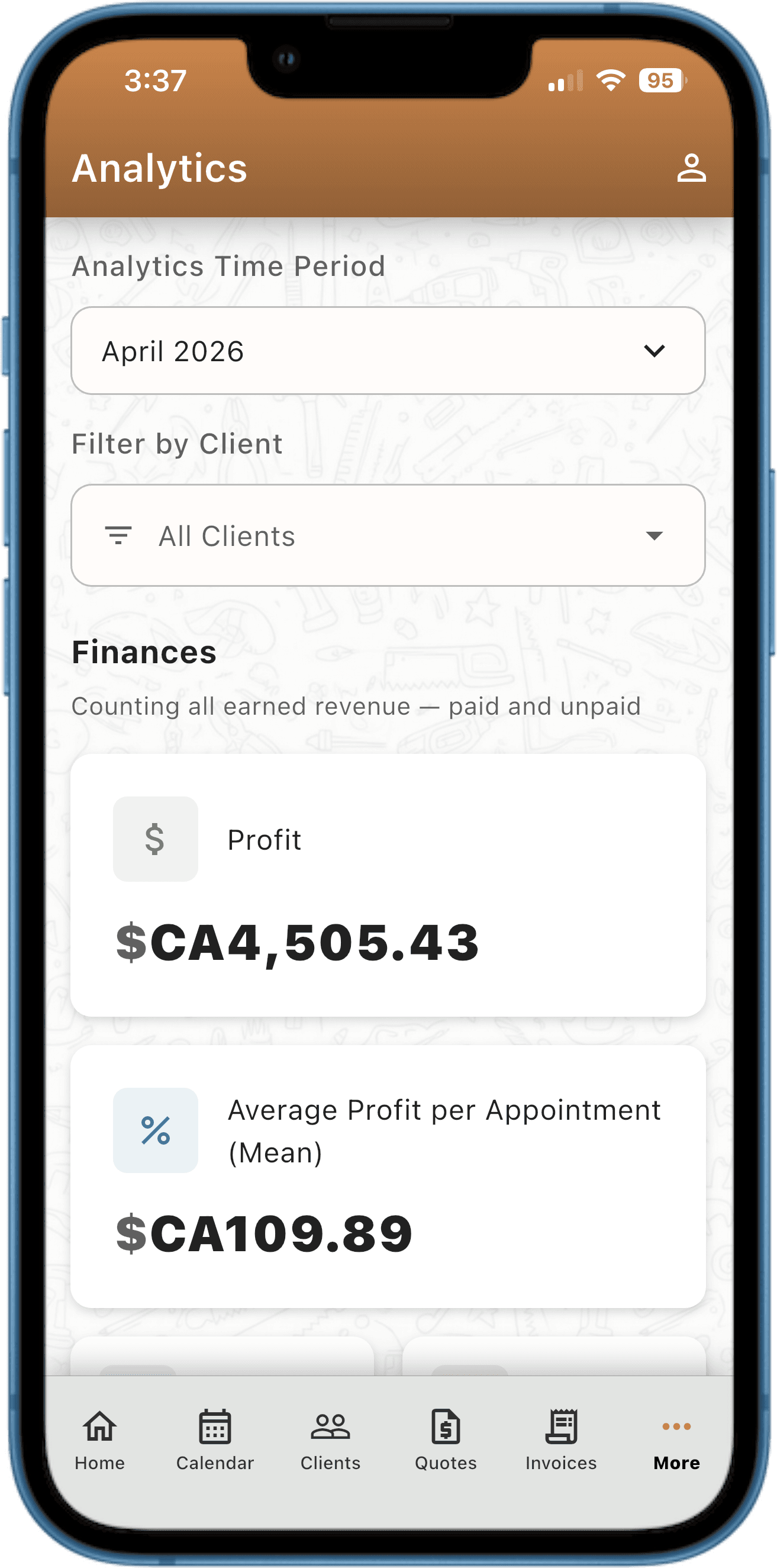
Analytics dashboard screen

Analytics & Reporting

Revenue, expenses, net income, appointments by status — broken down by week, month, and year.

  • Revenue earned and revenue owed at a glance
  • Top clients and busiest service types by earnings
  • Appointment completion rate and cancellation trends
  • Expense-to-revenue ratio so you always know your real profit

See how PocketClients stacks up

We put ourselves next to team-sized software and doing-it-yourself so you can make an honest comparison.

Full comparison →

Common questions

Can I import my existing clients?
Yes — import directly from your phone contacts in one tap. Or add them manually. Either way takes under a minute.
Does it work offline?
Yes. Your data is stored locally on your phone. You only need internet to send SMS or email messages.
Can I export my data?
Yes — CSV export of clients, appointments, invoices, messages, and expenses. No lock-in. Your data is yours.
Is my data secure?
Your data is stored locally on your device. We never store your client data on our servers.
Do I need a computer?
No. PocketClients is 100% phone-based. There is no web dashboard because you don't need one.

Transparent Pricing.

Try PocketClients free for 14 days. All features included. No credit card required.